
AI project planning for WordPress — ready this week
From client brief to delivery plan. Keep 100% control on your WordPress site.
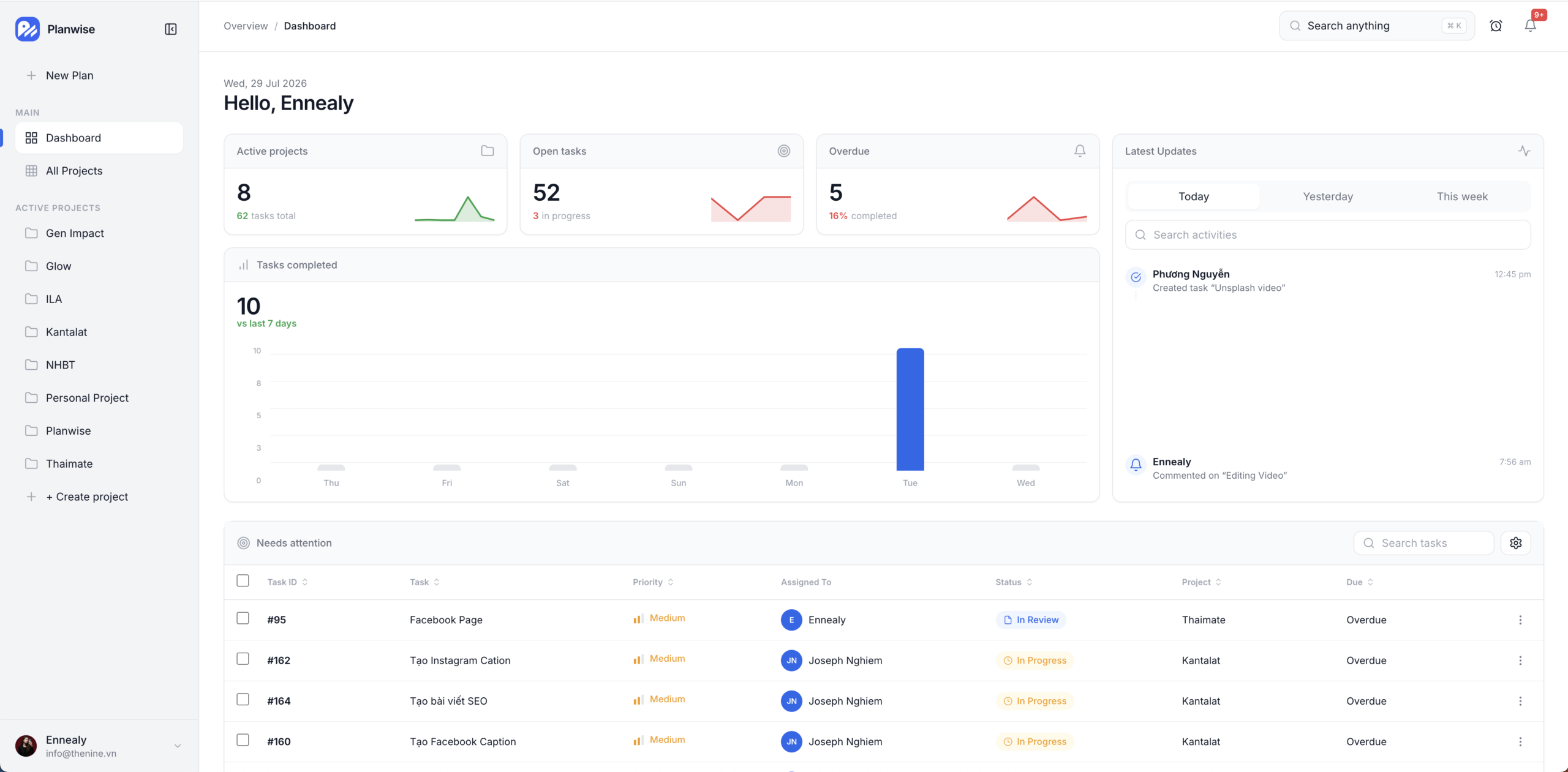
Turn messy briefs into phases, milestones, and sprints. Ask AI grounded in your project — schedule, tasks, and integrations in one Themeatos Hub product.
Start here
What is Planwise?
Planwise is a Themeatos Hub child product for agencies and product teams. Install once, connect Themeatos Credits, and plan delivery work inside WordPress — not another rented SaaS tab.
-
Step 1
Install Hub + Planwise
Activate Themeatos Hub, then install Planwise from your account catalog.
-
Step 2
Configure routes u0026 branding
Set /app and /login, colors, and PWA options in Hub settings.
-
Step 3
Connect Themeatos Credits
Buy Credits packs on themeatos.com. Chat is proxied through Hub — no vendor API key on your site.
-
Step 4
Open New Plan
Paste the brief, clarify scope, and walk out with phases, milestones, and sprints.
Why pay more?
Build from scratch, vibe-code it, or launch this week?
Custom planners burn months and budget. Vibe-coded demos look fine until the first real client brief. Planwise is the Hub product you install and ship.
| Approach | Typical cost | Time to usable workspace | Notes |
|---|---|---|---|
| Building from scratch | ~$72,000+ | 3–6 months | Plus ongoing AI, UI, and infra maintenance. |
| Vibe coding it | ~$5,000+ | 2–4 weeks | Looks fast — until auth, Hub, and real projects break the prototype. |
| Launch with Planwise | Hub license | ~1 week | Themeatos Credits. Hub updates. Production WordPress. |
Cost and timeline figures are directional marketing estimates for agency-built or vibe-coded planners versus a Themeatos Hub product install — not a formal quote.
Skip the custom-build bill — ship Planwise on Themeatos Hub this week.
Get started →Who is it for?
Built for teams that deliver on WordPress
Whether you sell services, ship products, or run solo — Planwise gives you the planning stack and AI support to kick off faster.
-
Agencies
Standardize every kickoff. Turn client briefs into shared phases, milestones, and sprints your team can run.
-
Freelancers
Look sharp on sales calls — plan history and follow-ups stay one click away when the client asks “what’s next?”
-
Product teams
Deploy planning inside your WordPress stack — AI briefings and Ask AI citations stay tied to real tasks.
What you get?
Everything you need after the kickoff call
Planning, tasks, AI, and integrations in one WordPress workspace — no extra SaaS tabs, no rented AI markup.
-
New Plan
Paste a client brief, clarify with quizzes, and walk out with phases, milestones, and sprints ready to run.
-
Ask AI
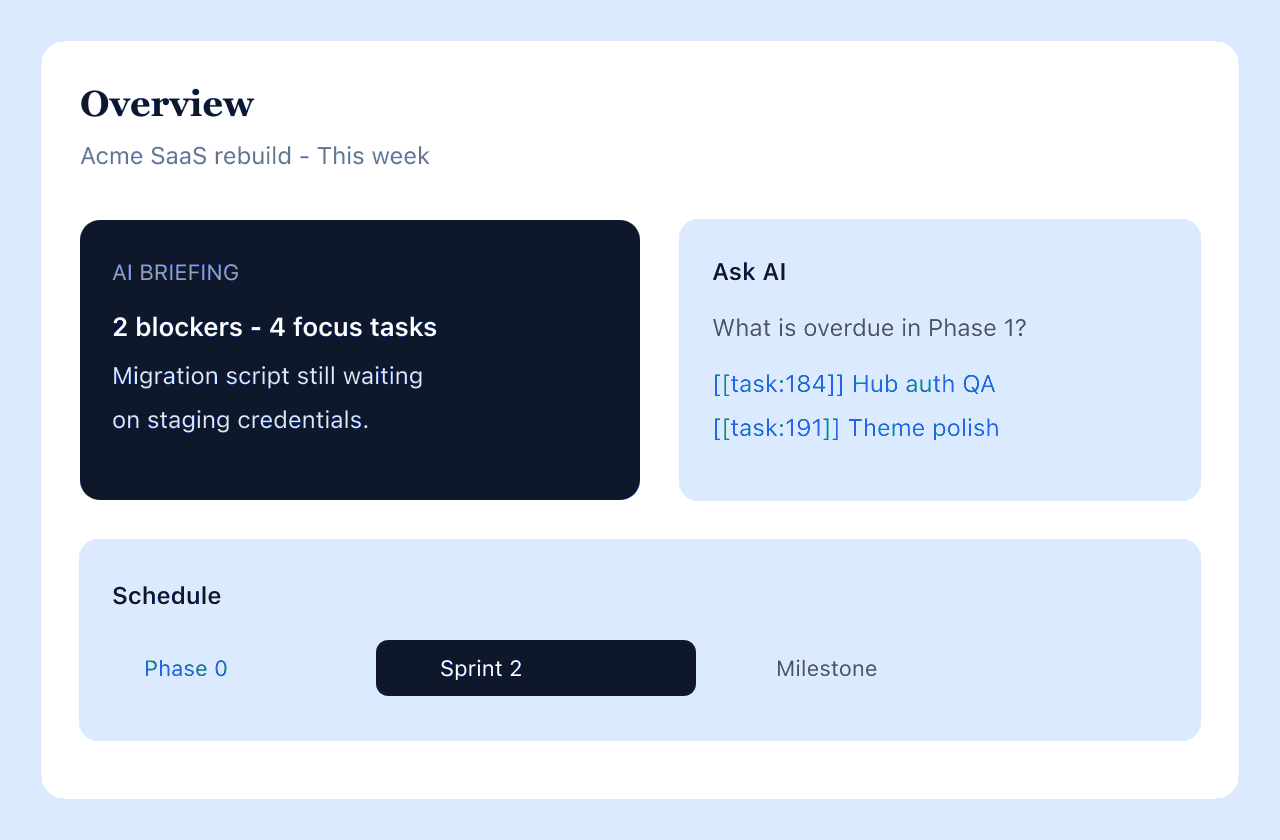
Project-grounded answers with live task citations — overdue work, blockers, and next focus in one chat.
-
Schedule
Phases, sprints, and milestones in one timeline your clients and delivery team can follow.
-
Task views
Kanban, table, timeline, and Gantt — switch views without losing project context.
-
Themeatos Credits
AI via Themeatos Credits packs — Hub proxy, Allowed models catalog, no site-side vendor API key.
-
Hub-native
Licensing, updates, and product settings live inside Themeatos Hub — install once, stay current.
Smarter features. Built for delivery work.
Powerful tools designed to help you plan, collaborate, and stay productive inside WordPress.
-
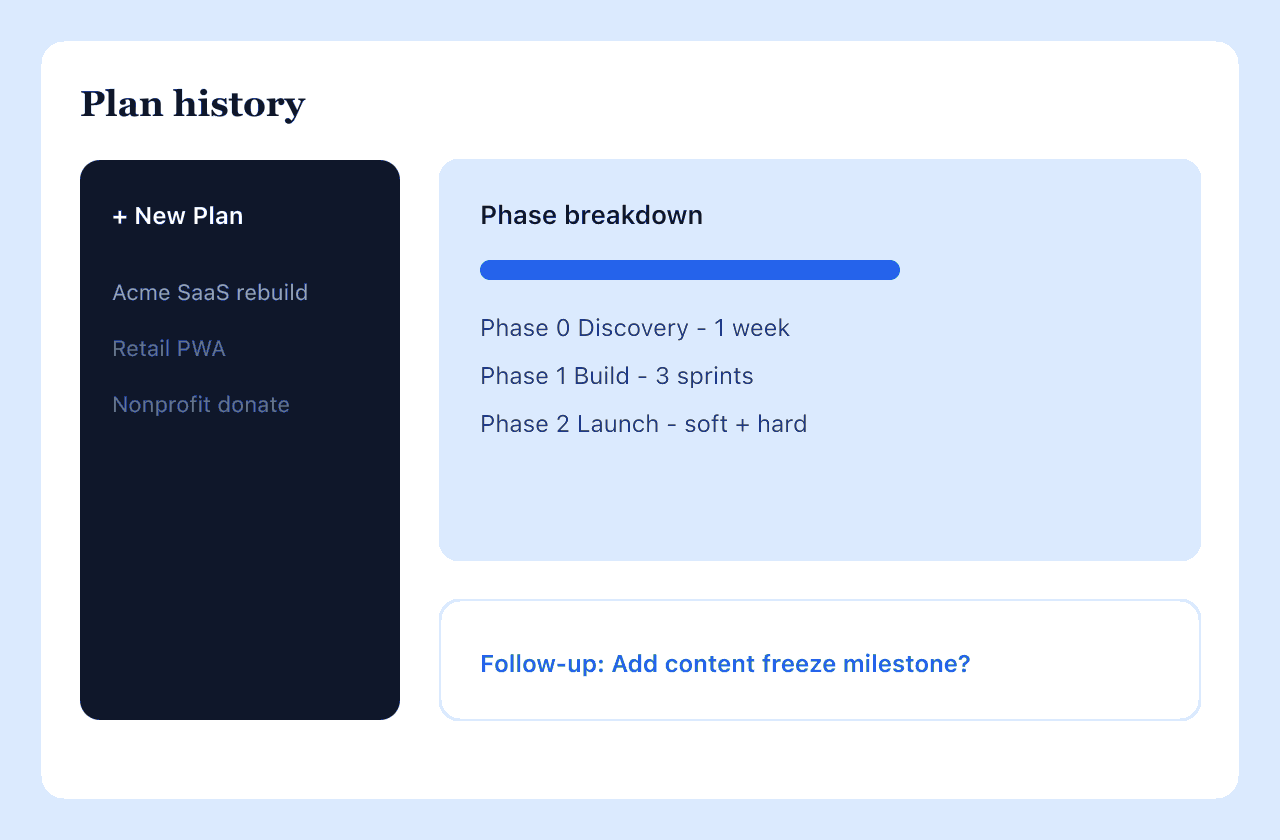
New Plan u0026 history
Clarify scope with quizzes. Keep every pitch reusable from the plan sub-sidebar.
-
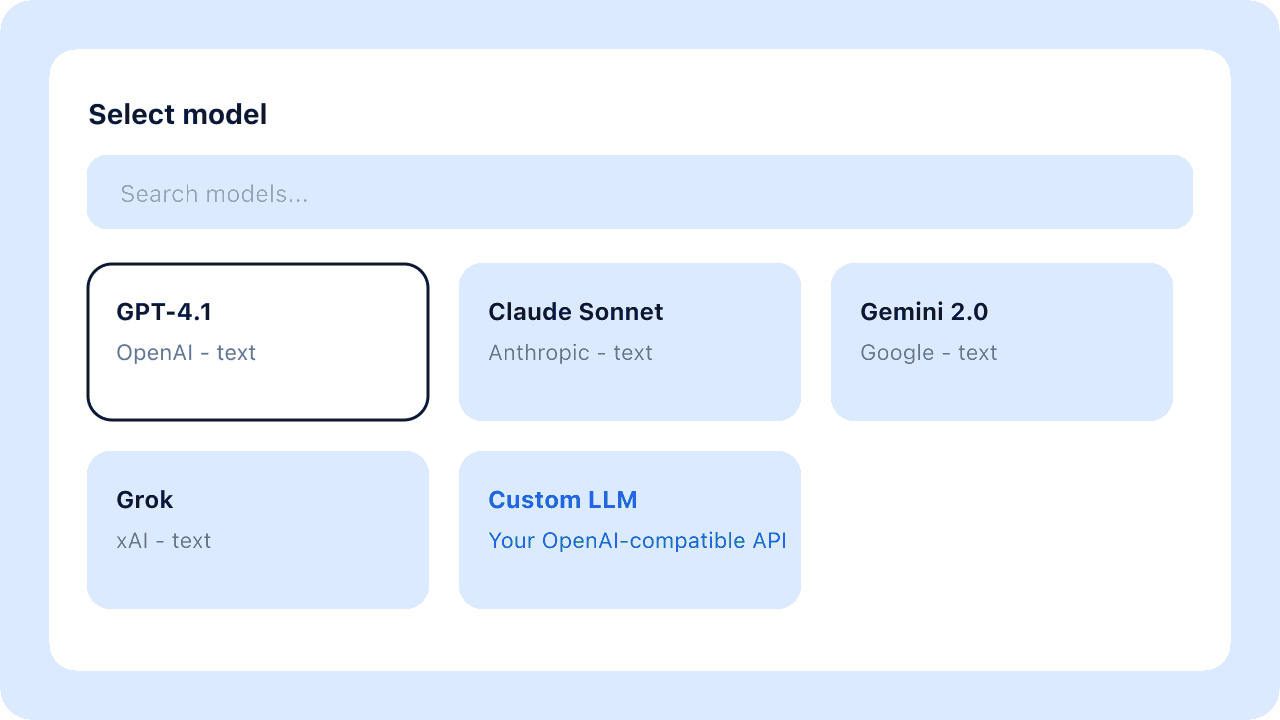
Allowed models catalog
Chat, image, and video pickers follow Allowed models from themeatos.com Themeatos AI Credits.
-
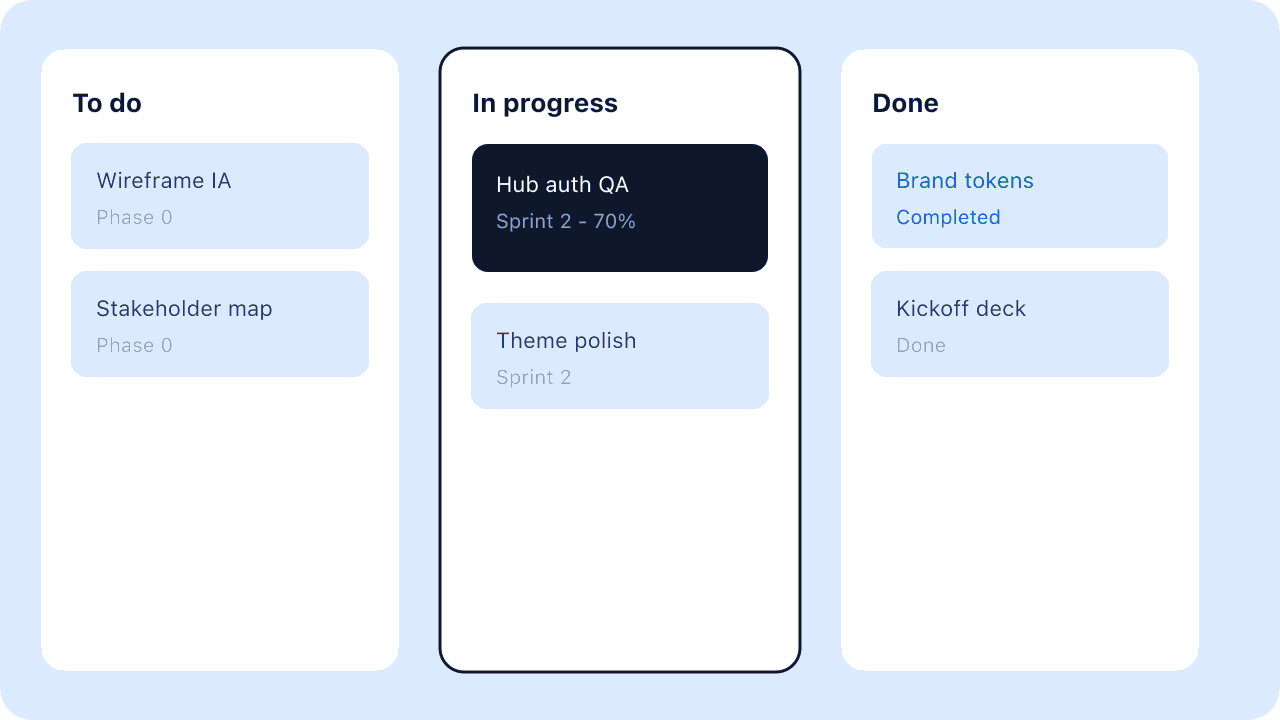
Task views
Kanban, table, timeline, and Gantt — same tasks, the view your team prefers.
-
Overview + Ask AI
Briefings surface blockers. Copilot cites real task IDs so the team jumps into work.
Need more power?
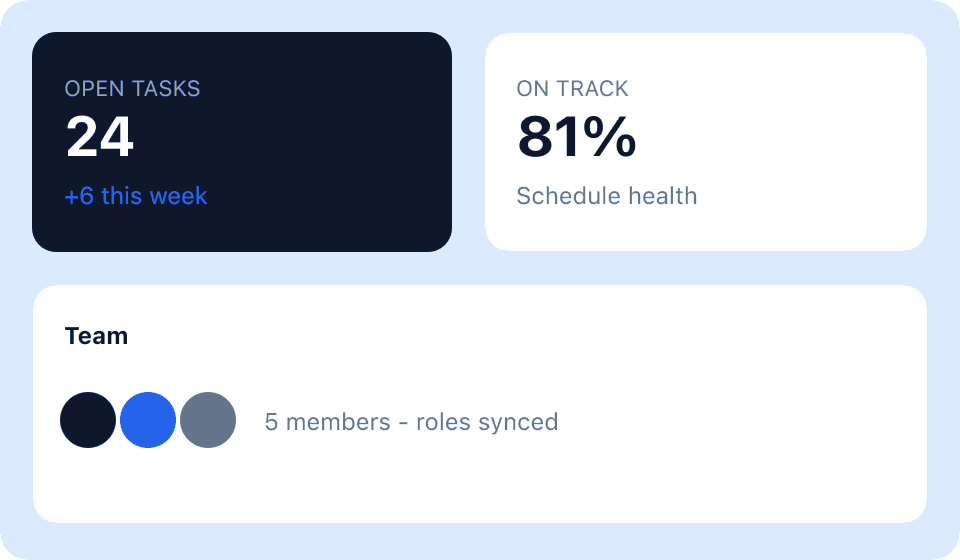
Hub settings, project integrations, team roles, and AI configuration extend the workspace without leaving WordPress.
Explore all features →-
Hub settings
Routes, branding, PWA, and Themeatos AI — configured once for the whole site.
-
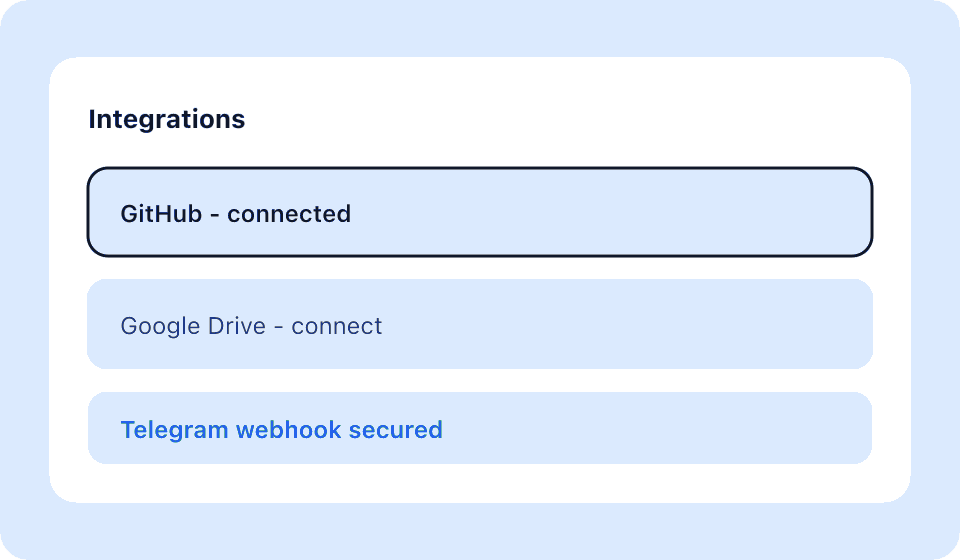
Integrations
Connect GitHub, Google Drive, and Telegram per project with secured credentials.
-
Schedule control
Phases, sprints, and milestones stay linked to the tasks your team actually ships.
-
Ask AI copilot
Grounded answers with task citations — overdue work, blockers, and next focus.
Integrations
Models and tools in sync with delivery
Site credentials in Hub. Per-project connections in the app.
-
GitHub
Repos u0026 issue signals stay linked to delivery tasks.
-
Google Drive
Briefs, decks, and assets connected per project.
-
Telegram
Secured group alerts when blockers or deadlines move.
-
Themeatos AI Credits
Credits packs on themeatos.com — models from the Allowed catalog, proxied through Hub.
FAQ
Questions teams ask before install
Short answers on Hub, Themeatos Credits, integrations, and data ownership — also published as FAQPage structured data.
What is Planwise?
Planwise is a Themeatos Hub child product that turns client briefs into phases, milestones, sprints, and tasks inside WordPress. It includes New Plan, Ask AI with task citations, schedule views, and project integrations — without renting another SaaS workspace.
Does Planwise require Themeatos Hub?
Yes. Planwise installs through Themeatos Hub. Hub handles licensing, updates, routes such as /app and /login, branding, PWA options, and Themeatos AI / Credits.
How does AI billing work?
Planwise uses Themeatos Credits only. Buy Starter, Plus, or Pro packs on themeatos.com. Chat is proxied through Hub — no vendor API key is stored on your WordPress site. Models follow the Allowed models catalog under Themeatos AI Credits.
How is Planwise different from hosted project tools?
Planwise runs on your WordPress install under Themeatos Hub. You keep domain, branding, and data — instead of moving delivery work into a separate rented SaaS tab.
How long does it take to launch?
Teams that already use Themeatos Hub can typically install Planwise, connect Credits, and open New Plan within about a week — faster than building a custom workspace or vibe-coding a fragile prototype.
Which AI models are available?
Chat, image, and video pickers are filled from the Allowed models catalog on themeatos.com (Settings → Themeatos AI Credits). Usage is deducted from your Themeatos Credits wallet.
Which integrations does Planwise include?
Project-level connections for GitHub (repos and issue signals), Google Drive (briefs and assets), and Telegram (secured group alerts). Site credentials are configured in Hub; per-project links live in the app.
Who owns the project data?
Project and task data live in your WordPress database on your hosting. You control backups, access, and uninstall options through Hub and WordPress — including keep-data flows when removing the product.
Can I use Ask AI on live project work?
Yes. Ask AI answers are grounded in the current project and can cite live tasks — useful for overdue work, blockers, and next focus without leaving the workspace.
How is Planwise licensed?
Planwise is distributed as a Themeatos Hub product entitlement. Pricing and purchase options are published on Themeatos; the landing schema does not advertise a free price unless a public free tier is offered.
Launch Planwise on your WordPress site
Install via Themeatos Hub, connect AI, open New Plan.
Get started